

With PnL tracking available directly inside PillarX, you can see both what you’ve already made from past trades and how the assets you hold are performing right now, all based on real transaction history, accurate balance calculations and live market data.
Why PnL Matters
In PillarX, you’ll find two types of PnL: realised and unrealised.
Realised PnL = profit or loss from trades you’ve already completed. Unrealised PnL = potential profit or loss from assets you’re holding.
Your trading journey becomes more powerful when you understand your results clearly.
It helps you:
- Know exactly what you gained or lost. Track the actual outcome of every swap.
- Understand every asset’s performance. Each token’s PnL is calculated based on actual transactions or market data, showing you the real picture.
- Data-driven clarity gives you more confidence in your next move.
- Simplify your tracking. No spreadsheets, no manual calculations, PnL is integrated into your PillarX experience.
How does PillarX calculate it?
PillarX uses the Weighted Average Cost (WAC) method. This means it takes the average price you paid for a crypto asset each time you purchased it, and uses that average to calculate your profit or loss.
If you purchased the same token at different prices, PillarX combines those buys into one clear average cost, showing you what you effectively “paid” for the asset:
- Realised PnL = profit or loss from trades you’ve already completed (What you actually made or lost after you sold).
- Unrealised PnL = potential profit or loss from assets you’re holding (How much you would make or lose right now if you sold).
WAC provides a clear and consistent way to measure performance, especially when you’ve bought the same asset multiple times at different prices.
How Trading Works on PillarX
Trading on PillarX happens through the built-in Pulse App and always uses USDC. When you buy a token, you’re exchanging USDC from your portfolio for that asset. When you sell a token, the value automatically returns to USDC.
If you start with a different token, like ETH, you’ll need to swap it into USDC before buying other assets. Once you have USDC, you can trade tokens on any supported chain. Just make sure your Universal Gas Tank has enough balance to cover network fees and you’re ready to trade across chains without any interruptions.
Start Tracking Your PnL in PillarX
- Log in to your PillarX account.
- Make sure you have enough USDC in your portfolio to buy tokens (see “How trading works on PillarX” above).
- Choose any token from your home screen.
- Review token data and click “buy” if you want to proceed.
- After completing your transaction, your Unrealised PnL will appear in the “My Holdings” tab.
- If you sell tokens, you will be able to see the Realized PnL on the asset page.
⚡️⚡️⚡️⚡️⚡️⚡️⚡️⚡️⚡️⚡️⚡️⚡️⚡️⚡️⚡️⚡️⚡️⚡️⚡️⚡️⚡️⚡️⚡️⚡️⚡️⚡️⚡️⚡️⚡️⚡️
Boost Your Trading Strategy With PillarX Data-Driven Events
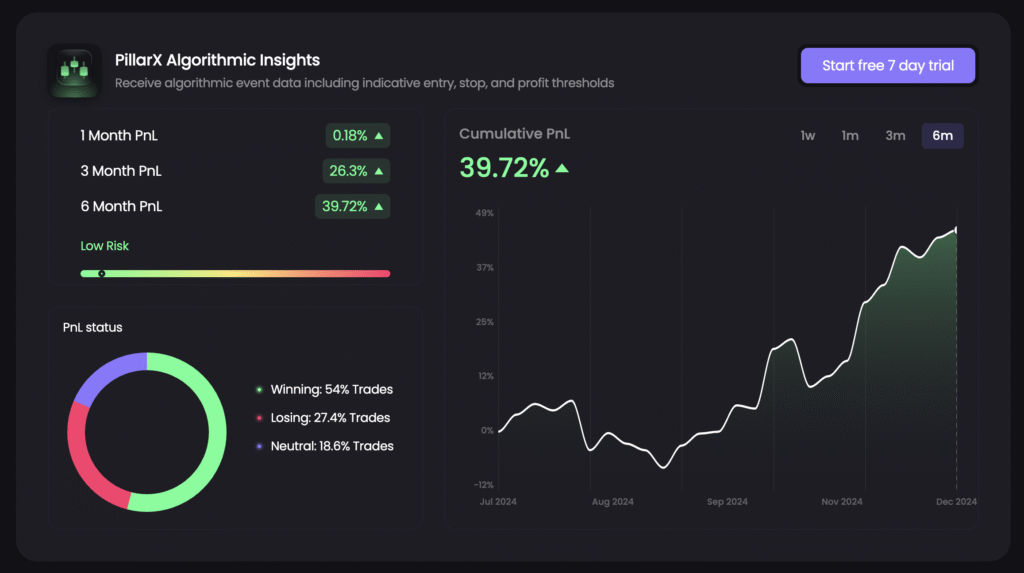
Start a free 7-day trial and get algorithmic event data with suggested entry, stop, and profit thresholds.
⚡️⚡️⚡️⚡️⚡️⚡️⚡️⚡️⚡️⚡️⚡️⚡️⚡️⚡️⚡️⚡️⚡️⚡️⚡️⚡️⚡️⚡️⚡️⚡️⚡️⚡️⚡️⚡️⚡️⚡️
Profit & Loss tracking is part of PillarX’s broader mission: to give every user the clarity and intelligence they need to navigate the market confidently. This feature release is one more step toward a smarter PillarX experience and a better understanding of your trading journey.
If you have any questions, feel free to join our PillarX Telegram group! The team will be happy to help.
Follow us
PillarX | X(Twitter) | Discord
Disclaimer: Cryptocurrency investments involve market risk. The information in our publications and on the PillarX website does not constitute financial advice. Please conduct your own research before making any financial decisions.